
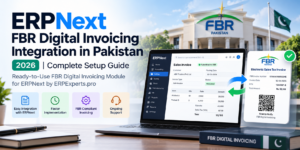
Updated: October 2026 | By ERPExperts.pro
The Federal Board of Revenue (FBR) has introduced mandatory digital invoicing requirements for applicable sales-tax-registered businesses in Pakistan. This has created a growing need for businesses to connect their existing accounting and ERP systems with FBR’s Digital Invoicing platform.
For companies already using ERPNext, the good news is that you don’t need to develop a completely new integration from scratch.
ERPExperts.pro offers a ready-to-use FBR Digital Invoicing Module that easily connects with ERPNext, helping businesses integrate digital invoicing into their existing sales and accounting workflows.
Whether your organization operates in manufacturing, trading, distribution, retail, or services, the right integration solution can help streamline FBR invoice submission while keeping your ERPNext operations connected.
In this guide, we’ll explain the FBR Digital Invoicing requirements in Pakistan, how ERPNext integration works, the advantages of using a ready-to-use module, the setup process, and the important considerations for businesses in 2026.
1. What Is FBR Digital Invoicing in Pakistan?
FBR Digital Invoicing is an electronic invoicing framework introduced by the Federal Board of Revenue to enable the electronic issuance and reporting of sales tax invoices.
Under the applicable requirements, businesses must electronically transmit prescribed invoice information through the authorized digital invoicing infrastructure.
Once an invoice is successfully validated and accepted, FBR generates a unique invoice number that can be linked to the business transaction.
The corresponding invoice can include the prescribed FBR invoice information and verification QR code.
How does FBR Digital Invoicing work?
The general process involves:
- A business creates a sales invoice through its ERP or accounting system.
- The invoice details are validated against the applicable FBR requirements.
- The invoice information is transmitted electronically through the authorized integration.
- FBR processes the invoice and returns the relevant response.
- The accepted FBR invoice number is stored against the original transaction.
- The invoice can be printed or shared with the required FBR information.
For businesses using ERPNext, this process can be incorporated into the existing invoicing workflow through a compatible integration module.
2. Is FBR Digital Invoicing Mandatory in Pakistan in 2026?
Yes. FBR introduced mandatory digital invoicing requirements for applicable sales-tax-registered persons through a phased implementation framework.
The legal framework includes Chapter XIV of the Sales Tax Rules, 2006, along with related notifications and orders.
Important regulatory developments include:
| FBR Notification | Key Development |
|---|---|
| S.R.O. 69(I)/2025 | Established the electronic invoicing framework and licensed-integrator requirements |
| S.R.O. 1852(I)/2025 | Introduced revised implementation schedules for registered persons |
| Sales Tax General Order No. 01 of 2026 | Addressed licensed-integrator arrangements and correction of certain valid electronic invoices |
The revised implementation schedule under S.R.O. 1852(I)/2025 specified phased dates between November and December 2025 for relevant categories of registered persons.
Businesses covered by these requirements should therefore review their compliance status in 2026.
Important: The applicability of FBR Digital Invoicing depends on the current legal requirements and the business’s registration status. Organizations should confirm the latest regulatory position through official FBR notifications or their tax advisers.
Official information: FBR Digital Invoicing Legal Provisions.
3. Can ERPNext Be Integrated with FBR Digital Invoicing?
Yes. ERPNext can be connected with FBR Digital Invoicing through a compatible integration module.
ERPNext already provides the essential sales and accounting functionality required to manage business transactions.
These include:
- Sales Invoices
- Customer records
- Product and service information
- Tax calculations
- Invoice totals
- Sales returns and adjustments
- Accounts Receivable
- Financial reporting
However, standard ERPNext functionality alone does not automatically complete the FBR Digital Invoicing integration.
Businesses need an appropriate integration solution to connect their invoicing workflow with the required FBR electronic reporting infrastructure.
ERPExperts Ready-to-Use FBR Digital Invoicing Module
To simplify this process, ERPExperts.pro offers a ready-to-use FBR Digital Invoicing Module designed to connect easily with ERPNext.
Rather than initiating a new custom API development project for every business, organizations can adopt an existing integration solution and configure it according to their ERPNext environment and tax requirements.
The module is intended to simplify the connection between ERPNext Sales Invoices and the FBR Digital Invoicing process.
Why choose a ready-to-use integration module?
Faster Implementation
Using an existing module can reduce the development effort compared with building a complete integration from scratch.
Reduced Custom Development
Businesses can avoid unnecessary development of the core integration functionality.
Integration with ERPNext Workflows
The integration can be configured around existing sales invoice processes, helping users work within their familiar ERP system.
Simplified Deployment and Maintenance
An existing module provides a more standardized starting point for configuration, testing, and ongoing support.
Professional Support
With ERPExperts.pro, businesses can obtain assistance with module deployment, configuration, testing, and troubleshooting.
A ready-to-use module still requires appropriate tax configuration, registration, integrator arrangements, and testing before production use.
Looking for a ready-to-use ERPNext FBR integration solution?
Contact ERPExperts.pro for a Module Demonstration.
4. Key Benefits of Using ERPExperts FBR Digital Invoicing Module
Businesses adopting ERPExperts’ ready-to-use module can benefit from a more streamlined integration approach.
1. Easy Integration with Existing ERPNext
The module is designed to connect with an existing ERPNext environment, reducing the need to develop a separate invoicing application.
This allows businesses to continue managing their sales and accounting operations through ERPNext.
2. Reduced Implementation Complexity
A ready-to-use solution reduces the amount of development required for the basic integration, allowing the implementation process to focus on configuration, testing, and business requirements.
3. Connected Invoicing Workflow
Integrating digital invoicing with ERPNext helps businesses maintain a relationship between their ERP invoices and their FBR electronic reporting records.
4. Better Operational Visibility
An appropriately configured integration can help users track invoice processing and identify transactions that require attention.
5. Suitable for Different Industries
The module can be evaluated for businesses operating in:
- Manufacturing
- Trading and Distribution
- Wholesale
- Retail
- Professional Services
- Other industries using ERPNext Sales Invoices
Compatibility and configuration requirements depend on the business’s transaction types and tax obligations.
6. Ongoing Technical Support
ERPExperts.pro provides ERPNext technical services, enabling businesses to obtain assistance with integration configuration, issue resolution, and maintenance under an agreed support arrangement.
5. Requirements for ERPNext FBR Digital Invoicing Integration
Before activating FBR Digital Invoicing, businesses must complete the applicable registration and technical prerequisites.
Business Requirements
- Valid FBR sales tax registration, where applicable
- Access to the relevant FBR IRIS account
- Correct business name and NTN/CNIC details
- Valid registration information
- Appropriate PRAL or FBR-licensed integrator arrangement
ERPNext Requirements
- An operational and compatible ERPNext installation
- ERPExperts FBR Digital Invoicing Module
- Correct company and customer information
- Configured taxes and applicable classifications
- Relevant invoice and item master data
- Access to the necessary integration credentials and environment
Technical Requirements
Additional requirements may include:
- Internet connectivity
- Authorized integration credentials
- Required public IP information or whitelisting, where applicable
- Sandbox testing access
- Production integration authorization
- Appropriate server access and permissions
The ERPExperts team can assist with reviewing the ERPNext environment and identifying the applicable configuration requirements.
6. Step-by-Step Guide: How to Integrate ERPNext with FBR Digital Invoicing
With ERPExperts’ ready-to-use module, businesses can follow a structured integration process without starting with a completely new custom development project.
Step 1: Review Your Existing ERPNext System
The first step is to evaluate your existing ERPNext installation.
This includes checking:
- ERPNext version and installed applications
- Company configuration
- Sales Invoice workflows
- Customer and item masters
- Sales tax configuration
- Existing POS or external integrations
- Custom scripts and applications that may affect invoicing
This assessment helps determine compatibility and identify any configuration changes required before deployment.
Step 2: Complete the Applicable FBR Registration
Businesses should complete the required digital invoicing registration and onboarding steps through the authorized FBR systems.
This includes the necessary PRAL or licensed-integrator arrangement.
The authorized onboarding process determines the relevant technical credentials and integration environment.
Step 3: Install the ERPExperts FBR Digital Invoicing Module
Once the ERPNext environment and prerequisites have been reviewed, the ERPExperts team can deploy the ready-to-use FBR Digital Invoicing Module.
The deployment is performed according to the ERPNext version, infrastructure, and integration requirements.
Using the existing module reduces the need for separate development of the core connector.
Step 4: Configure FBR and ERPNext Information
The integration requires correct mapping of business and transaction information.
Typical data requirements include:
| ERPNext Information | FBR Requirement |
|---|---|
| Company | Seller information and registration details |
| Customer | Buyer information and registration status |
| Sales Invoice | Invoice type, date and reference information |
| Item | Product description and applicable HS code |
| Quantity | Quantity and prescribed unit of measurement |
| Taxes | Applicable rate and tax amounts |
| Transaction Classification | Sale type and relevant SRO information |
The actual fields and validation requirements depend on the current FBR specification and transaction type.
Step 5: Perform FBR Sandbox Testing
Before going live, the integration should be tested using the applicable FBR sandbox environment.
Testing may include:
- Standard taxable invoices
- Sales to registered customers
- Sales to unregistered customers
- Zero-rated or exempt transactions, where applicable
- Relevant special tax scenarios
- Applicable invoice adjustment processes
The specific scenarios depend on the taxpayer’s business activities and the current FBR testing requirements.
Step 6: Configure Invoice Printing
Once the module is configured, the ERPNext invoice print format should display the required FBR information.
This may include:
- FBR invoice number
- Prescribed QR code
- Applicable FBR logo
- Tax registration information
- Other mandatory invoice details
Invoice printing should be verified against the latest FBR requirements before production use.
Step 7: Go Live with FBR Digital Invoicing
After successful configuration, testing, and required authorization, the integration can be deployed for live invoicing.
Businesses should verify that accepted FBR invoices are properly linked with their ERPNext transactions and that failed submissions can be identified and corrected.
Step 8: Ongoing Monitoring and Support
After go-live, ongoing monitoring helps maintain reliable digital invoicing operations.
The support process should address invoice validation failures, integration availability, configuration changes, and applicable technical updates.
7. Common FBR Digital Invoicing Errors in ERPNext
Even with an existing integration module, invoice submission can fail when source data is incomplete or inconsistent with FBR requirements.
| Common Issue | Possible Cause | Recommended Action |
|---|---|---|
| Invalid NTN/CNIC | Incorrect buyer or seller registration information | Verify registration details |
| Invalid HS Code | Missing or incorrect product classification | Review item information |
| Tax Rate Error | Incorrect rate or transaction classification | Verify tax configuration |
| Invalid Unit of Measurement | Unsupported or incorrectly mapped unit | Check the applicable FBR reference values |
| Authentication Error | Incorrect or unauthorized credentials | Verify the integration arrangement |
| Duplicate Invoice | Invoice already reported to FBR | Check the original submission status |
| Missing FBR Invoice Number | Submission was rejected or not fully processed | Review FBR response and invoice status |
| Connectivity Error | Network or external service interruption | Review logs and follow the approved recovery process |
A properly managed integration should distinguish between successful, failed, and pending transactions.
If FBR’s system times out, the original submission status should be checked before attempting another submission to avoid unintended duplicate reporting.
ERPExperts.pro can assist clients with troubleshooting module configuration and related ERPNext integration issues.
8. Invoice Cancellation, Corrections and Sales Returns
FBR Digital Invoicing also involves procedures for correcting invoices and handling returns.
Under Sales Tax General Order No. 01 of 2026, issued March 30, 2026, correction, cancellation, deletion, or editing of a valid electronic sales tax invoice generated due to a bona fide mistake is permitted through FBR’s computerized system within 72 hours of generation, subject to the specified conditions.
After that period, the relevant approval procedure applies.
Businesses should therefore avoid directly modifying an ERPNext invoice without considering its corresponding FBR record.
Recommended practices
- Retain the original FBR invoice number.
- Record invoice correction or cancellation activity.
- Use the applicable approved FBR process.
- Maintain links between original invoices and returns or adjustment documents.
- Reconcile ERPNext transactions against FBR records.
The exact handling of corrections and adjustments depends on the applicable FBR rules and supported integration workflow.
9. FBR POS Integration vs FBR Digital Invoicing
Businesses often confuse FBR POS integration with the broader Digital Invoicing framework.
Both involve electronic transaction reporting, but the applicable requirements and technical workflows may differ.
| Feature | FBR POS Integration | FBR Digital Invoicing |
|---|---|---|
| Primary Application | Retail POS transactions under applicable requirements | Electronic sales tax invoicing for notified persons |
| Typical System | Retail POS | ERP, accounting or invoicing system |
| ERPNext Integration | POS transaction workflow | Sales Invoice and applicable transaction workflow |
| Business Focus | Retail transactions | Applicable B2B, B2C and other electronic invoicing scenarios |
Businesses with an existing FBR POS integration should confirm whether their current arrangement satisfies the applicable Digital Invoicing requirements.
The ERPExperts FBR Digital Invoicing Module is intended for integration with ERPNext invoicing workflows, with configuration assessed according to the business requirements.
10. ERPNext FBR Digital Invoicing Module Cost in Pakistan
The cost of deploying an ERPNext FBR Digital Invoicing solution depends on the existing ERPNext setup and the required configuration, deployment, and support services.
Rather than offering a one-size-fits-all quotation, ERPExperts.pro evaluates the relevant implementation components.
| Cost Component | Pricing Basis |
|---|---|
| Ready-to-Use FBR Digital Invoicing Module | Applicable module offering and commercial arrangement |
| Module Deployment & Configuration | ERPNext environment and configuration requirements |
| Tax and Invoice Setup | Existing tax settings and invoice classifications |
| Invoice Print Format Configuration | Required invoice layout changes |
| Testing & Go-Live Assistance | Applicable sandbox and production requirements |
| Support & Maintenance | Selected service scope and SLA |
Additional work may be required for complex multi-company configurations, specialized invoicing workflows, or compatibility issues with existing custom applications.
FBR’s applicable rules provide for free integration through PRAL on demand, and FBR does not charge a fee for the integration itself. Professional ERPNext services and commercial software arrangements are separate matters.
At ERPExperts.pro, we can provide a customized quotation based on your ERPNext environment and integration requirements.
Request Pricing for the ERPExperts FBR Digital Invoicing Module.
11. Why Choose ERPExperts.pro for FBR Digital Invoicing?
At ERPExperts.pro, we provide ERPNext implementation, customization, integration, hosting, training, and ongoing support services.
With over 12 years of industry experience and experience serving 250+ businesses, we help organizations adopt ERP solutions across multiple industries.
Our FBR Digital Invoicing Offering
Ready-to-Use ERPNext FBR Digital Invoicing Module
An existing integration solution designed to connect easily with ERPNext and reduce the need for custom integration development from scratch.
Module Installation & Configuration
Assistance with deployment and the necessary ERPNext settings.
Tax and Invoice Configuration
Review and configuration of relevant customer, item, tax, and invoice information.
Sandbox Testing & Go-Live Assistance
Support with applicable testing scenarios and deployment activities.
Invoice Format Customization
Configuration of invoice layouts to display the relevant FBR information.
Ongoing ERPNext Support
Functional and technical assistance through agreed maintenance and support arrangements.
Our team can help businesses evaluate whether their existing ERPNext environment is suitable for deploying the module and identify any additional requirements before implementation.
Learn more about our FBR Digital Invoicing Services.
12. Frequently Asked Questions
Q1. Does ERPExperts offer a ready-to-use FBR Digital Invoicing Module for ERPNext?
Yes. ERPExperts.pro offers a ready-to-use FBR Digital Invoicing Module designed to connect easily with ERPNext. This helps reduce the need to build a new integration from scratch.
Q2. Do I need to develop a custom FBR API integration for ERPNext?
Not necessarily. Businesses can use the ERPExperts ready-to-use FBR Digital Invoicing Module, subject to compatibility, configuration, and the applicable authorized integration arrangement.
Q3. Can the module be installed on an existing ERPNext system?
The module is intended for ERPNext environments. Compatibility and deployment requirements should be reviewed according to the installed ERPNext version, existing customizations, and infrastructure.
Q4. Is FBR Digital Invoicing mandatory in Pakistan?
FBR has notified mandatory digital invoicing requirements for applicable sales-tax-registered persons. Businesses should verify the latest requirements and their individual registration status.
Q5. Can ERPNext display the FBR invoice number and QR code?
Yes. ERPNext invoice print formats can be configured to display the required FBR invoice number, QR code, and other prescribed details after the applicable integration is established.
Q6. Does using the ready-to-use module eliminate the need for FBR registration?
No. Businesses must complete the applicable FBR registration, onboarding, licensed-integrator arrangements, and testing requirements.
Q7. Does ERPExperts provide module installation and support?
ERPExperts.pro offers professional ERPNext integration, configuration, implementation, and support services. The exact services are defined in the agreed commercial scope.
Q8. How long does FBR integration take with a ready-to-use module?
The timeline depends on ERPNext compatibility, existing configuration, tax data, registration status, testing requirements, and any additional customization.
Using an existing module can reduce the need for custom connector development, but does not eliminate onboarding or testing.
Q9. Can the solution be used for multi-branch businesses?
Multi-branch requirements can be evaluated as part of the implementation. The configuration depends on the legal entities, taxpayer registration details, invoicing workflows, and operating structure.
Q10. How can I get the ERPExperts FBR Digital Invoicing Module?
Contact ERPExperts.pro to discuss your existing ERPNext environment, integration requirements, and deployment options.
13. Official FBR Resources
For updated regulatory and technical information, businesses can refer to the following resources:
- FBR Digital Invoicing Legal Provisions
- FBR Digital Invoicing Technical Documentation
- FBR Digital Invoicing User Manual
- FBR Licensed Integrators
Conclusion: Simplify ERPNext FBR Integration with a Ready-to-Use Module
FBR Digital Invoicing is an important part of Pakistan’s evolving tax reporting framework.
For businesses already using ERPNext, integrating digital invoicing should not necessarily require building a completely new software solution.
ERPExperts.pro offers a ready-to-use FBR Digital Invoicing Module that easily connects with ERPNext, helping businesses streamline the integration process and incorporate FBR reporting into their existing invoicing workflows.
With the right configuration, testing, and support, businesses can manage their sales invoicing and electronic reporting through a more connected process.
Get the ERPExperts FBR Digital Invoicing Module for ERPNext
Already Using ERPNext? Make FBR Digital Invoicing Integration Easier.
Connect your ERPNext system with FBR Digital Invoicing using the ready-to-use integration module offered by ERPExperts.pro.
Our team can assist with:
- Ready-to-use module deployment
- ERPNext configuration
- FBR invoice and tax setup
- Testing and go-live assistance
- Invoice print format configuration
- Ongoing technical support
Request a Free Initial Consultation or Module Demonstration
Website: www.erpexperts.pro
Phone / WhatsApp: +92 336 2389303
ERPNext Implementation | FBR Digital Invoicing Module | ERPNext Customization | Integration | Support & Maintenance
Regulatory note: This article provides general information as of October 2026. Businesses should verify current FBR obligations and authorized integration arrangements for their specific circumstances.